 DiskOrbit · for Mac
See where your space went.
DiskOrbit maps everything on your Mac, tells you in plain words what's safe to delete and what isn't, and uninstalls apps together with everything they leave behind. Nothing is deleted until you confirm, and everything goes to the Trash first.
What it doesPay once, no subscription
Coming soon directly from us, for macOS 14 Sonoma or later.
What it does
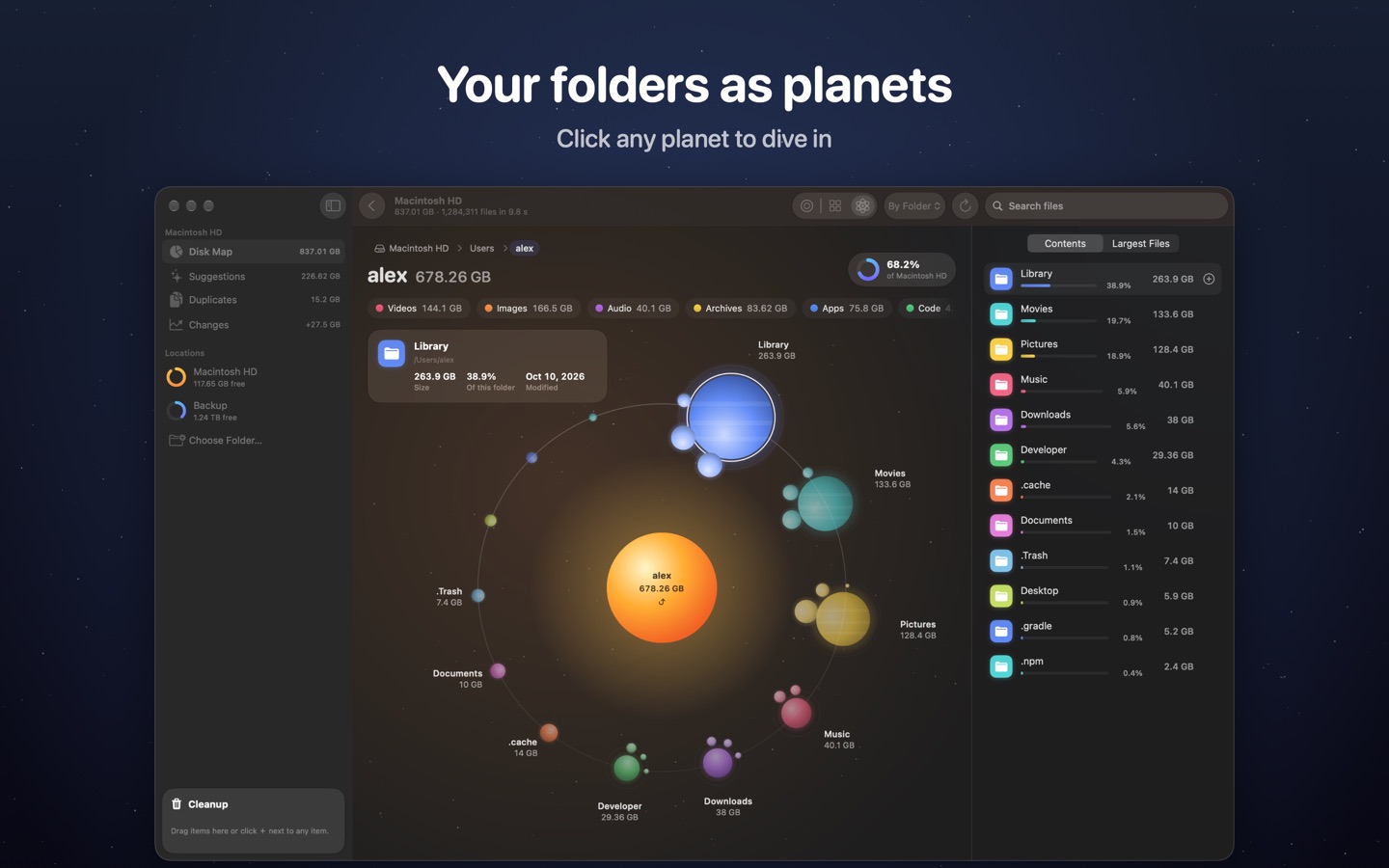
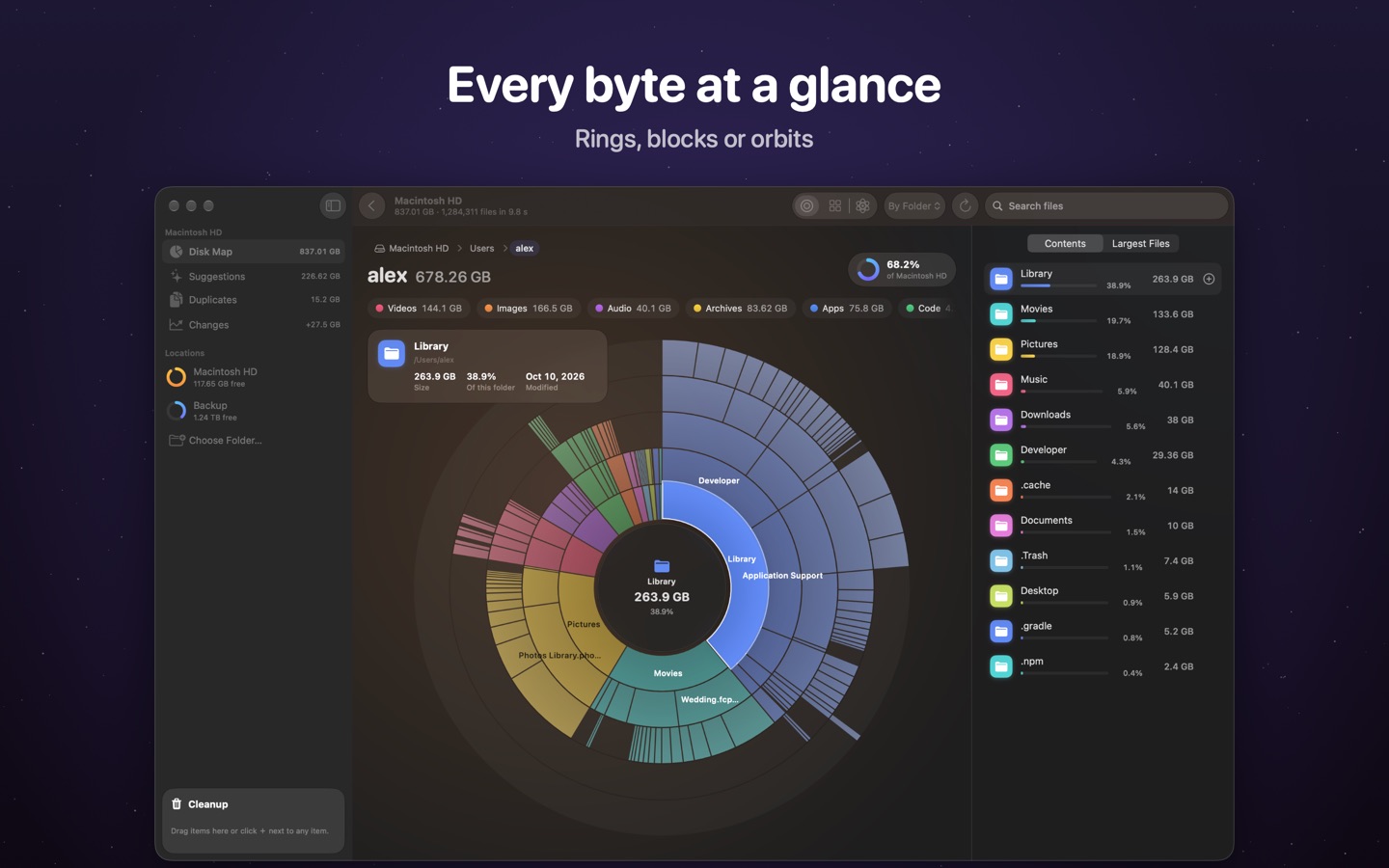
- See your diskRings, blocks or planets in orbit: every folder sized by the space it uses, colored by folder or by file type.
- What's safe to deleteEvery item says what it is and what happens if you delete it: safe to delete, check first, your files, or don't delete.
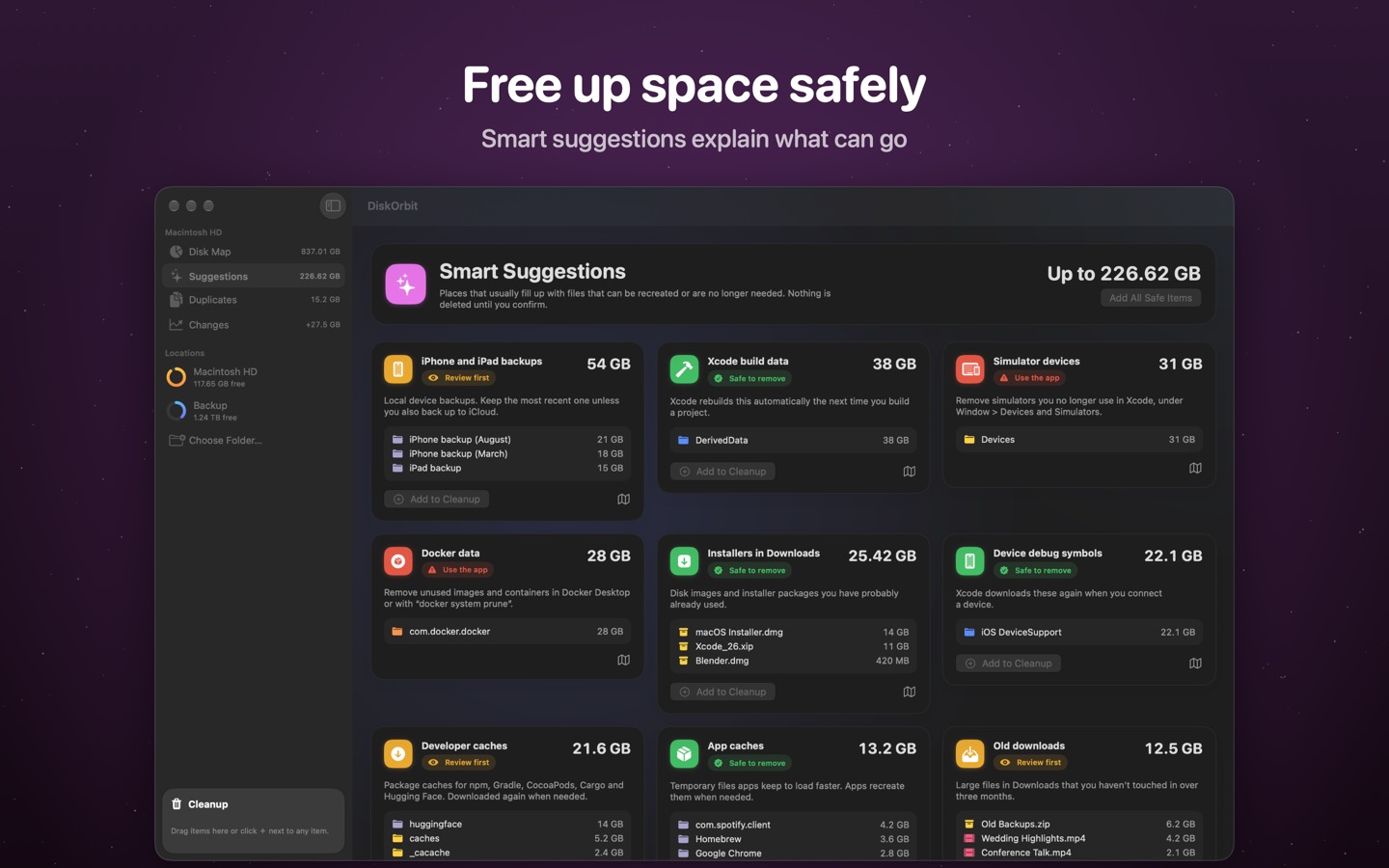
- Smart suggestionsCaches, Xcode build data, simulators, node_modules, old installers and forgotten downloads, each with the reason it can go or needs a look.
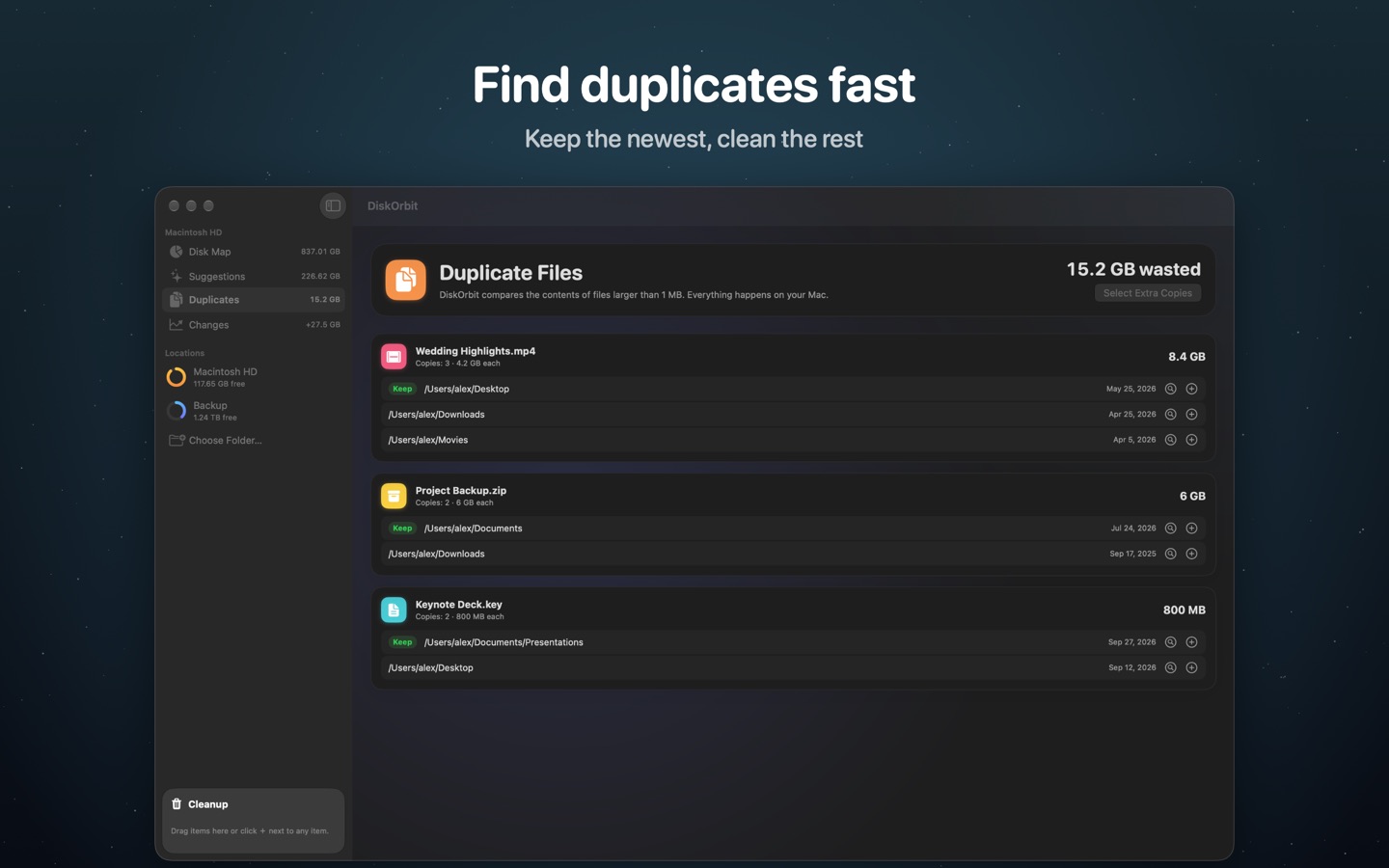
- DuplicatesCompares the contents of files and keeps the newest copy.
- Uninstall completelyRemove an app with its settings, caches, containers and background items, and find the apps you haven't opened in months.
- Protected system filesFiles macOS needs can't end up in the Trash by mistake.
- Ahead of a full diskSee which folders grew since the last scan, free space in the menu bar and a widget, and an optional alert when the disk is almost full.
- Fast and privateHundreds of thousands of files in seconds, all on your Mac. No account, no tracking.
Screens
Bought directly from us
The same app as on the Mac App Store, with a little more. Compare the two.
- The whole disk, straight awayScans the disk without you picking Macintosh HD first, and the uninstaller doesn't ask for the disk either.
- Up to 5 MacsOne licence, with a key, for the Macs you use. Activate with the key, or the email or CPF you paid with.
- Card or PixPay through Kiwify with a card from anywhere, or Pix in Brazil, and the app updates itself.
Pay once. That's it.
R$ 59.90. No subscription, no in-app purchases, no ads, no tracking.
Questions
Can I try it first?
The download is free, but DiskOrbit only scans and cleans once it's activated. If it doesn't do what you need, write to us within 14 days and you get your money back. See the refund policy.
Can it delete something important?
Nothing is deleted until you confirm, and everything goes to the Trash first, so you can still put it back. Files that macOS needs are protected and can't be moved to the Trash.
Which Macs does it run on?
Any Mac with macOS 14 Sonoma or later, Apple silicon or Intel.
App Store or directly from you: what's the difference?
It's the same app. Bought from us, it does a little more, asks for fewer permissions, covers up to 5 Macs and updates itself. See the comparison.
Does it collect data about me?
No. There are no accounts, analytics or ads, and nothing about your files ever leaves your Mac. See the privacy notice.