 Veracard · for Mac
Is that card fake? Find out in minutes.
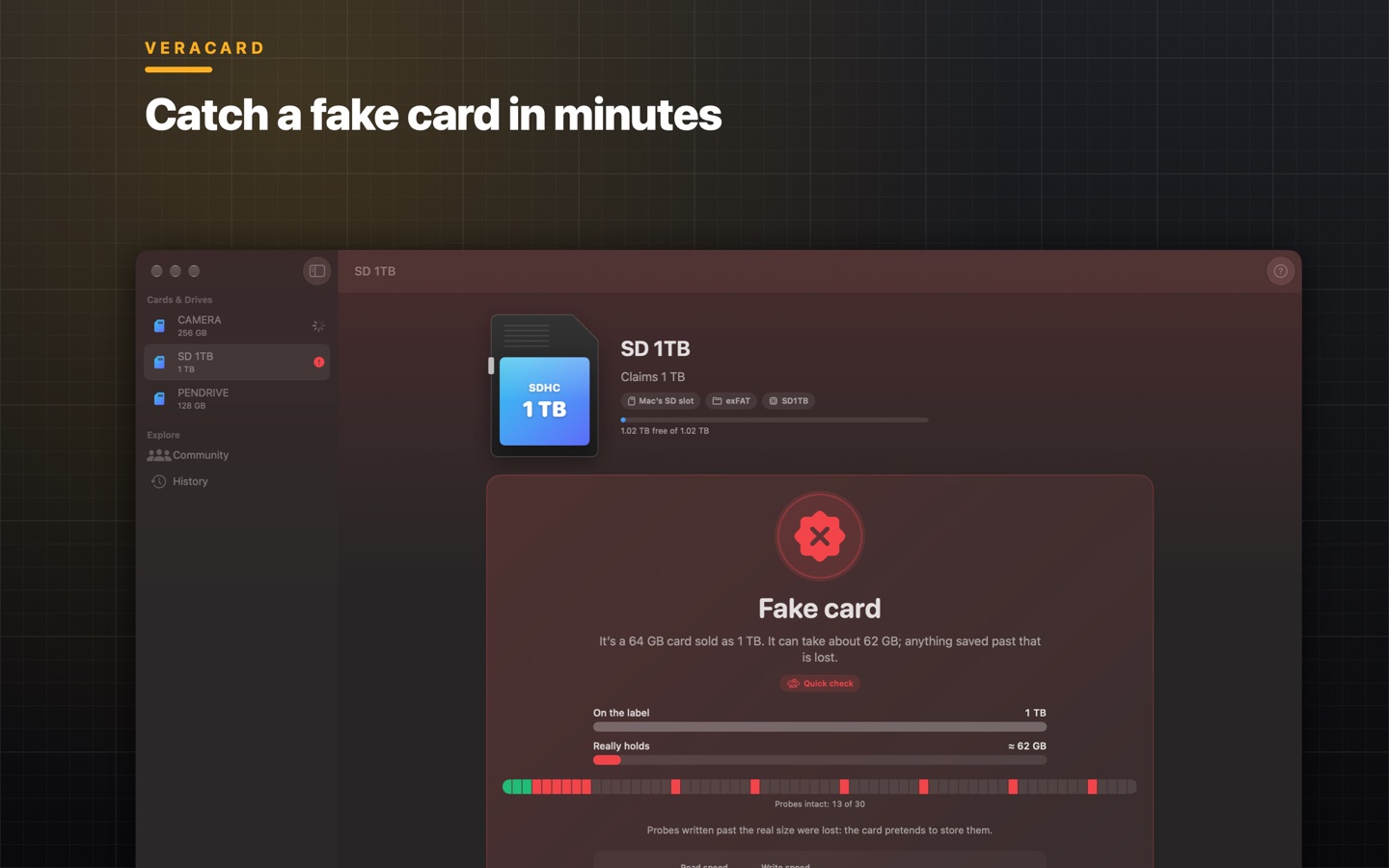
Cards that claim 1 TB but hold 32 GB are everywhere. Everything works until you pass the real size, and then your files are gone. Veracard catches a fake card in minutes, benchmarks it and shows the speed classes it really meets.
Free to download, for macOS 14 Sonoma or later. Veracard asks for a licence the first time you open it: buy it here or in the app, pay once, and use it on up to 5 Macs.
What it does
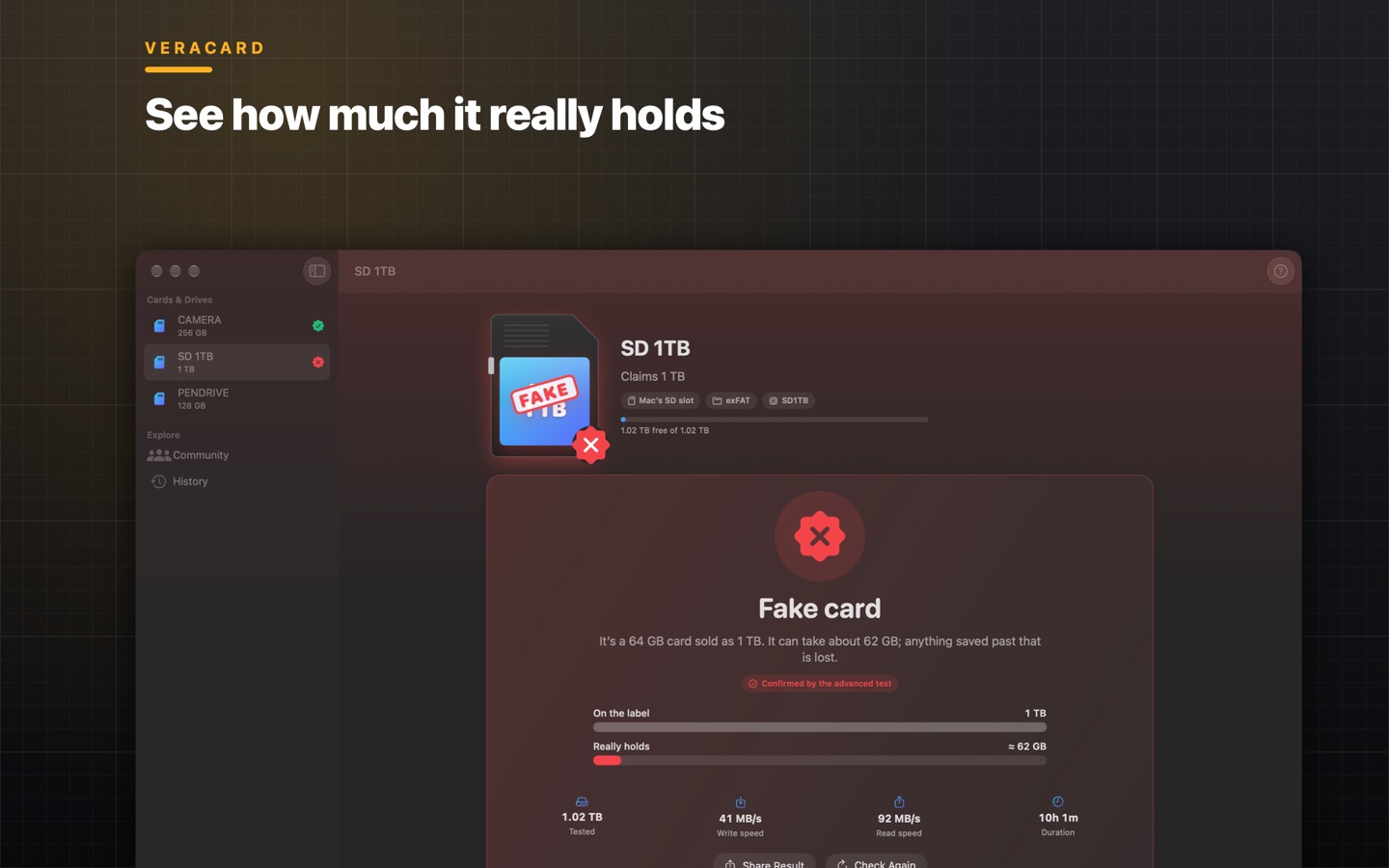
- Finds fakes in minutesProbes spread across the whole card show whether it holds less than it claims, and how much it really holds, without filling it first.
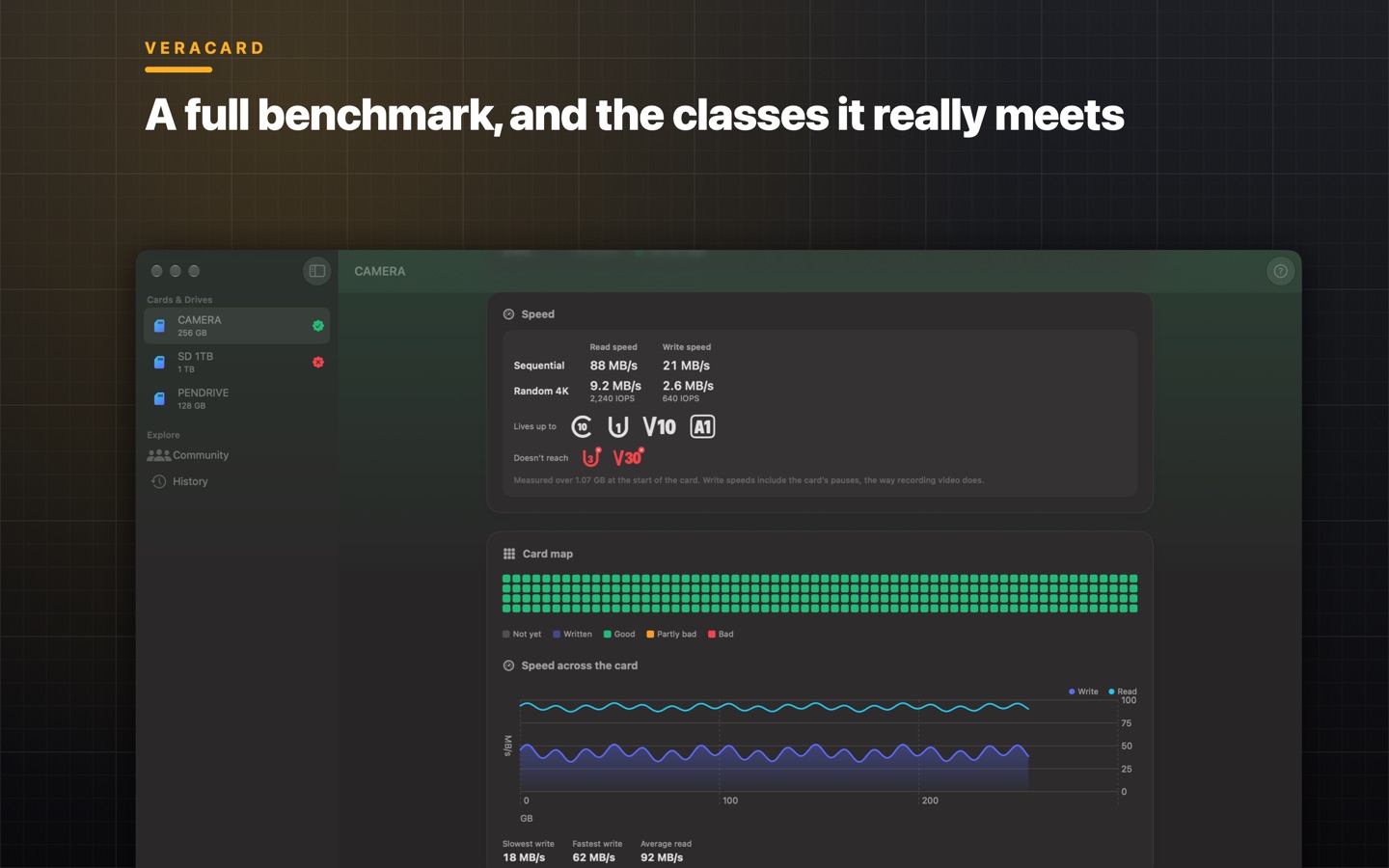
- Full benchmarkSequential and random 4K reads and writes, with IOPS, a live speed chart and the pauses while writing.
- The classes it really meetsC10, U1, U3, V30, V60, V90, A1, A2: see which markings the card lives up to, taking your card reader's limits into account.
- Fake or faultyA fake card throws write errors too. Veracard keeps the two apart: a lying capacity is one thing, failing memory is another.
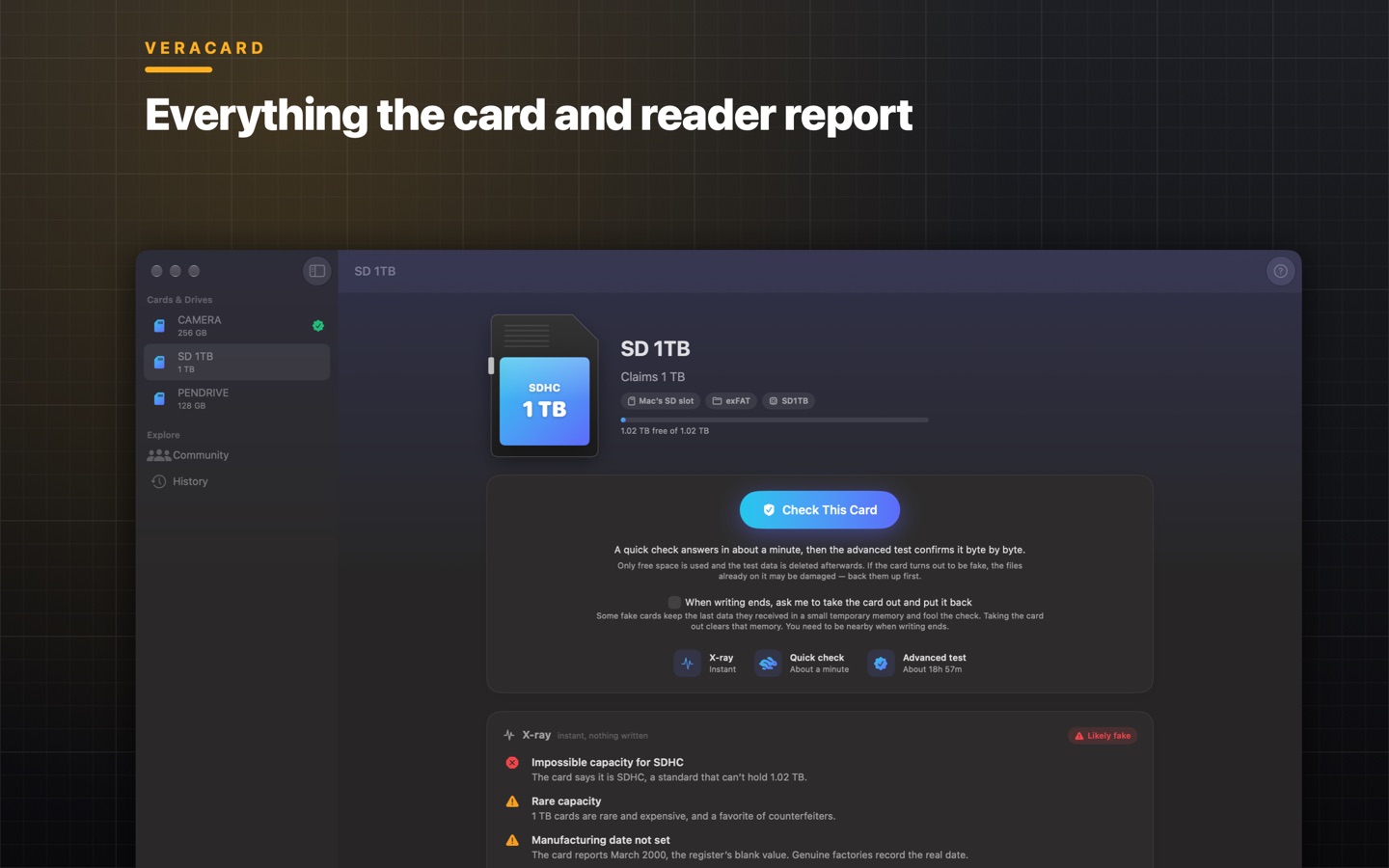
- X-rayEverything the card and the reader report. Through the Mac's own SD slot, also the chip's maker, date and serial number.
- Proof, byte by byteThe advanced test writes unique data to every free byte and reads it all back, so no hidden cache can fool the result.
- CommunitySee which stores sold fakes to other buyers, and share your own result. Only the store, the place and the result, never anything about you.
- 34 languagesIncluding English, Portuguese, Spanish, French, German, Japanese, Chinese and Arabic.
Screens
Bought directly from us
The same app as on the Mac App Store, with a little more. Compare the two.
- Erases as exFATOne click erases a card as exFAT, without Disk Utility, and the app writes to the card without asking for the folder.
- Up to 5 MacsOne licence, with a key, for the Macs you use. Activate with the key, or the email or CPF you paid with.
- Card or PixPay through Kiwify with a card from anywhere, or Pix in Brazil, and the app updates itself.
Pay once. That's it.
R$19.90, on the Mac App Store or directly from us. No subscription, no in-app purchases, no ads, no tracking.
Questions
Will it erase my files?
No. Veracard writes only to the card's free space and deletes its test files when it's done. If a card is too full to test, it asks before anything is erased, and it never formats a card unless you ask it to.
What can it check?
SD and microSD cards (with an adapter or a card reader), USB flash drives and external SSDs. The chip details in the X-ray need the Mac's own SD slot; with a USB reader you still get everything else.
How long does it take?
The quick check takes a few minutes on a good card. The optional advanced test reads and writes every free byte and can take hours on a big card. You can stop at any time and keep the best answer so far.
Which Macs does it run on?
Any Mac with macOS 14 Sonoma or later, Apple silicon or Intel.
App Store or directly from you: what's the difference?
It's the same app. Bought from us, it does a little more, asks for fewer permissions, covers up to 5 Macs and updates itself. See the comparison.
Does it collect data about me?
No. There are no accounts, analytics or ads. Results stay on your Mac. Sharing with the Community is optional and never includes anything about you. See the privacy notice.